Updated October 26, 2026
Roll the World Beginner’s Guide
A practical first-run route through grass, paths and streets, with controls, index claims and the first star explained.
Quick answer
Use WASD to roll, right-drag to look and hold Shift to boost on PC. Collect smaller objects, check the size ring and use permanent growth upgrades before your first star.
Your first run
Follow the PC tutorial, then grow toward your first star.
Learn the opening controls
Use WASD to roll and right-drag to look.
- Success check
- The ball moves and the size ring is visible.
- If it remains unclear
- Use platform controls on mobile or console.
Read the supporting evidence
§Learn the opening controls#
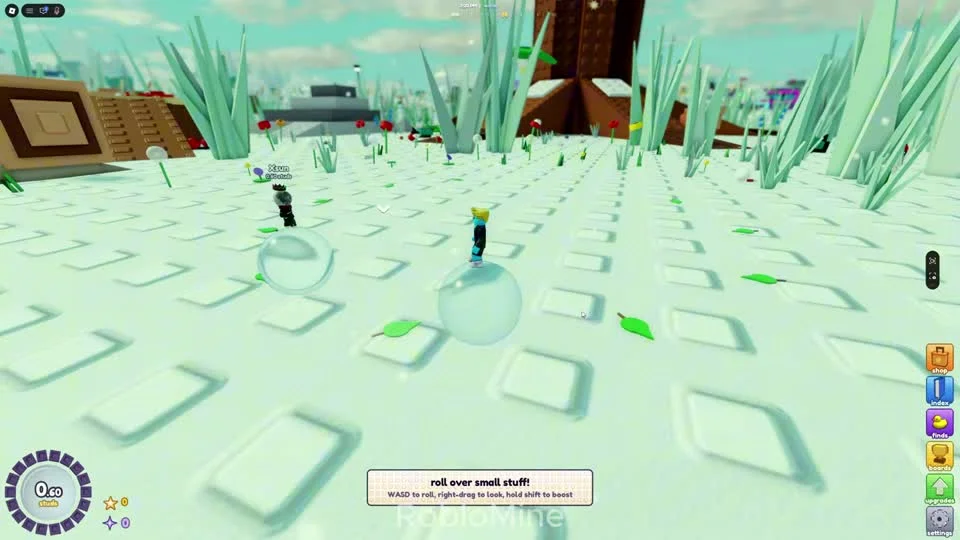
The opening PC tutorial shows WASD to roll, right-drag to look, and hold Shift to boost. The size ring sits at the bottom left, with stars and purple stardust beside it. The right column contains shop, index, finds, boards, upgrades and settings.
These keys are verified from the PC recording. Use your platform’s on-screen controls on mobile or console. The official listing supports both, but exact controller mappings have not been verified.
Move from small objects to crowded streets
Collect smaller objects around the park and streets.
- Success check
- Objects attach and the size increases.
- If it remains unclear
- Return to smaller objects if a target will not attach.
Read the supporting evidence
§Move from small objects to crowded streets#
Start with the small pieces around the grass. Keep moving through objects that attach to your ball. If a target does not stick, collect smaller nearby objects and come back after the size ring grows.
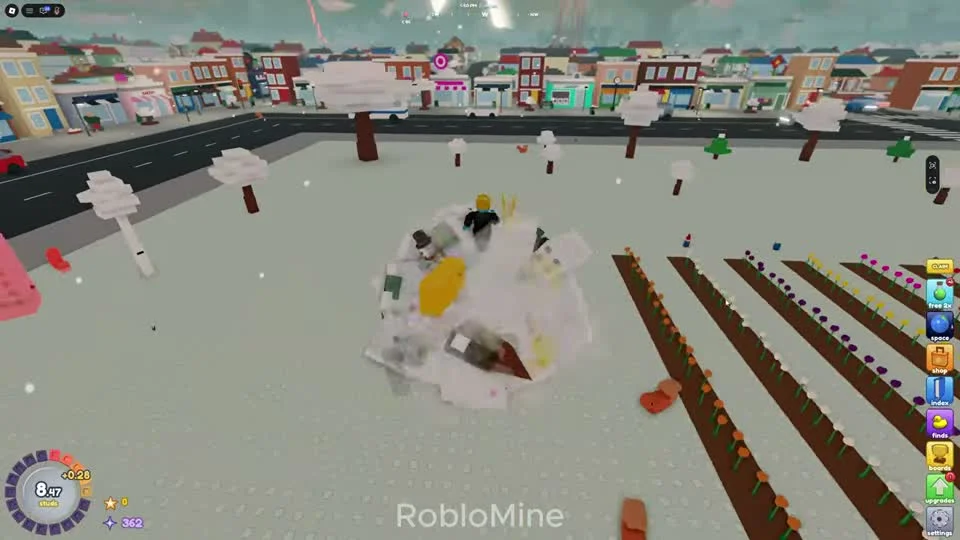
The reviewed run moves through paths and park areas before town streets. This frame shows a ball at 8.47 studs beside planted rows and a road. It is one recorded route, with upgrades affecting the pace. It is not a mandatory area unlock threshold.
Make the first stardust count
Open upgrades and inspect growth.
- Success check
- The balance and next effect are visible.
- If it remains unclear
- Claim pending index rewards if short of stardust.
Read the supporting evidence
§Make the first stardust count#
Open upgrades using the green arrow. The panel says stars keep upgrades and stardust, so an early growth level helps later runs too. Compare the next cost with the effect before buying.
Watch the index button for a claim prompt after collecting new object types. Claiming it adds stardust to reinvest. In the footage, the claim button is separate from simply collecting an object.
Know when the run ends
Reach the first-star target and inspect the prompt.
- Success check
- The star prompt appears at 50 studs.
- If it remains unclear
- Read the star row if your target differs.
Read the supporting evidence
§Know when the run ends#
The first-star threshold is 50 studs in the reviewed game. The first-star summary shows a ×1.25 growth multiplier and the next star at 100 studs. A star starts a fresh small-ball run. Read the star guide before resetting.
If progress slows, check that useful finds are equipped, collect pending index rewards and return to clusters of smaller objects. No guaranteed completion time has been established.
Scope and sources
Official description checked October 26, 2026; images are reviewed community gameplay.
- Menus and progression can change after updates. Match the current label before spending stardust or making a star.