Updated October 26, 2026
Roll the World Upgrades & Stardust
Compare growth, speed, stamina, magnet, luck and start size using the real upgrade panel.
Quick answer
Spend stardust in upgrades. Growth improves collection progress, speed changes rolling speed, stamina improves boost and magnet extends reach. Stars keep upgrades and stardust.
Compare before changing
Official description checked October 26, 2026; images are reviewed community gameplay.
On small screens, swipe the table to compare all columns.
| Upgrade | Visible purpose | When it helps |
|---|---|---|
| Growth | Increase growth bonus | You want larger objects sooner |
| Speed | Increase rolling speed | Travel delays your run |
| Stamina | Improve boost | You want more sustained boosting |
| Magnet | Increase collection reach | You miss nearby objects |
| Luck | Increase luck stat | You are focusing on rare finds |
| Start size | Begin later runs larger | You repeatedly restart |
This editorial decision aid follows visible effects. It is not a measured ranking of stardust efficiency.
§How to buy an upgrade#
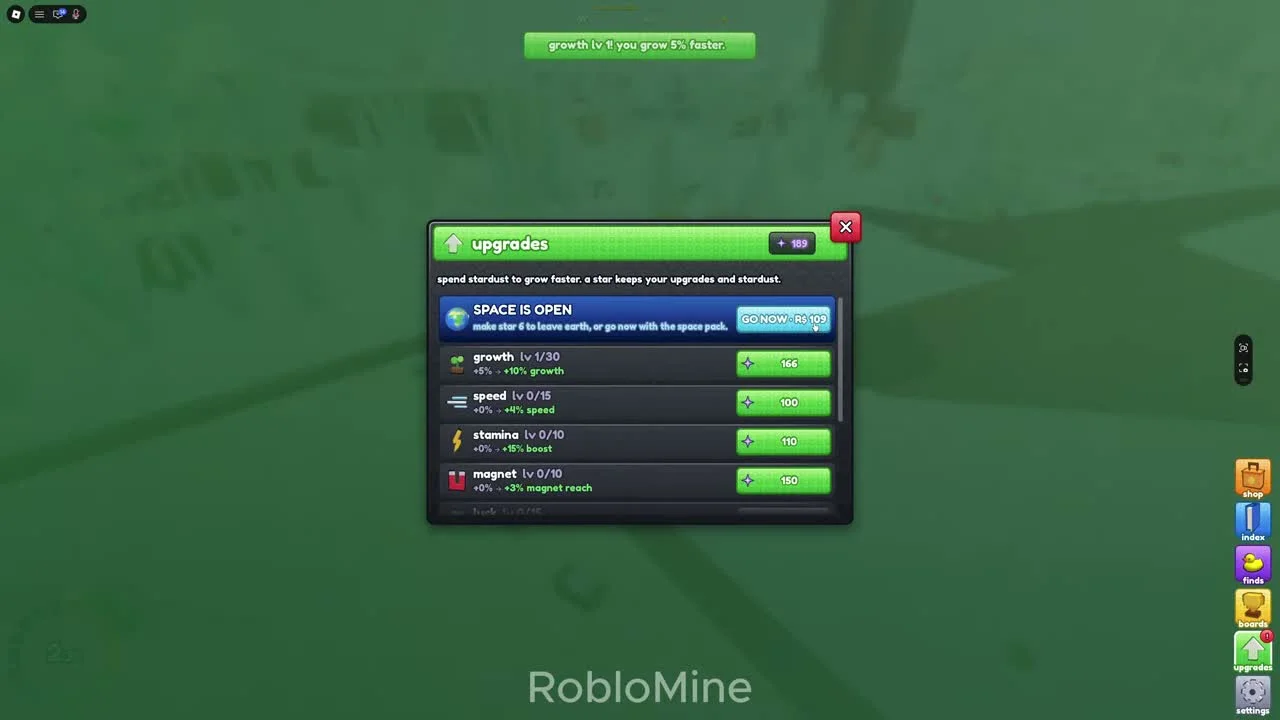
Open the green upgrades arrow. The purple number is your stardust balance. Each row shows current level, current effect, next effect and price. Compare those before buying.
In the early recording, growth level 1 shows +5% to +10% growth while speed, stamina and magnet remain at level 0. The success message confirms that the purchased level makes growth 5% faster.
§A sensible early spending order#
Check growth first because it directly supports reaching larger targets. Then choose movement upgrades or luck according to the delay you are experiencing. Targeted purchases are easier to assess than dividing every balance across all rows.
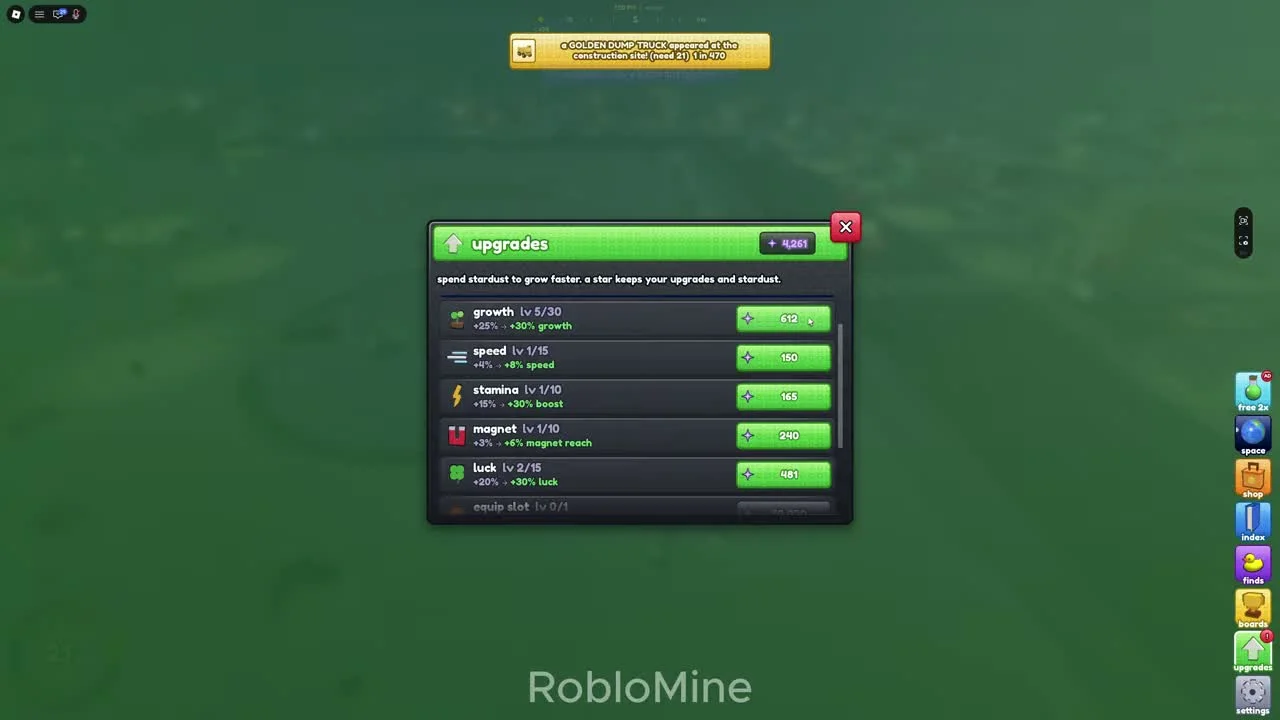
The later panel shows independent levels for growth, speed, stamina, magnet and luck. Costs change by level, so screenshots should not become a fixed shopping list.
§Claim before spending#
The index claim prompt pays stardust after new collections. Finds also have a sell action with a displayed stardust value. Review useful bonuses and lock valuable items before selling.
If a purchase is unavailable, compare your balance with its current price. Stars keep the balance and upgrades, so you do not need to spend everything solely because a reset is available.
Scope and sources
Official description checked October 26, 2026; images are reviewed community gameplay.
- Menus and progression can change after updates. Match the current label before spending stardust or making a star.